



Blog
How to Integrate Feedback into a Performance Management System
- May 7, 2025
- 11:06 am
Feedback is a cornerstone of effective employee performance management. Yet, many organizations still rely on outdated, once-a-year reviews that do little to drive meaningful improvement. To boost engagement, productivity, and accountability, companies must integrate feedback into their performance management system in a structured and continuous way. In this article, we explore how to seamlessly integrate feedback into a performance management system to create a culture of ongoing development and success.
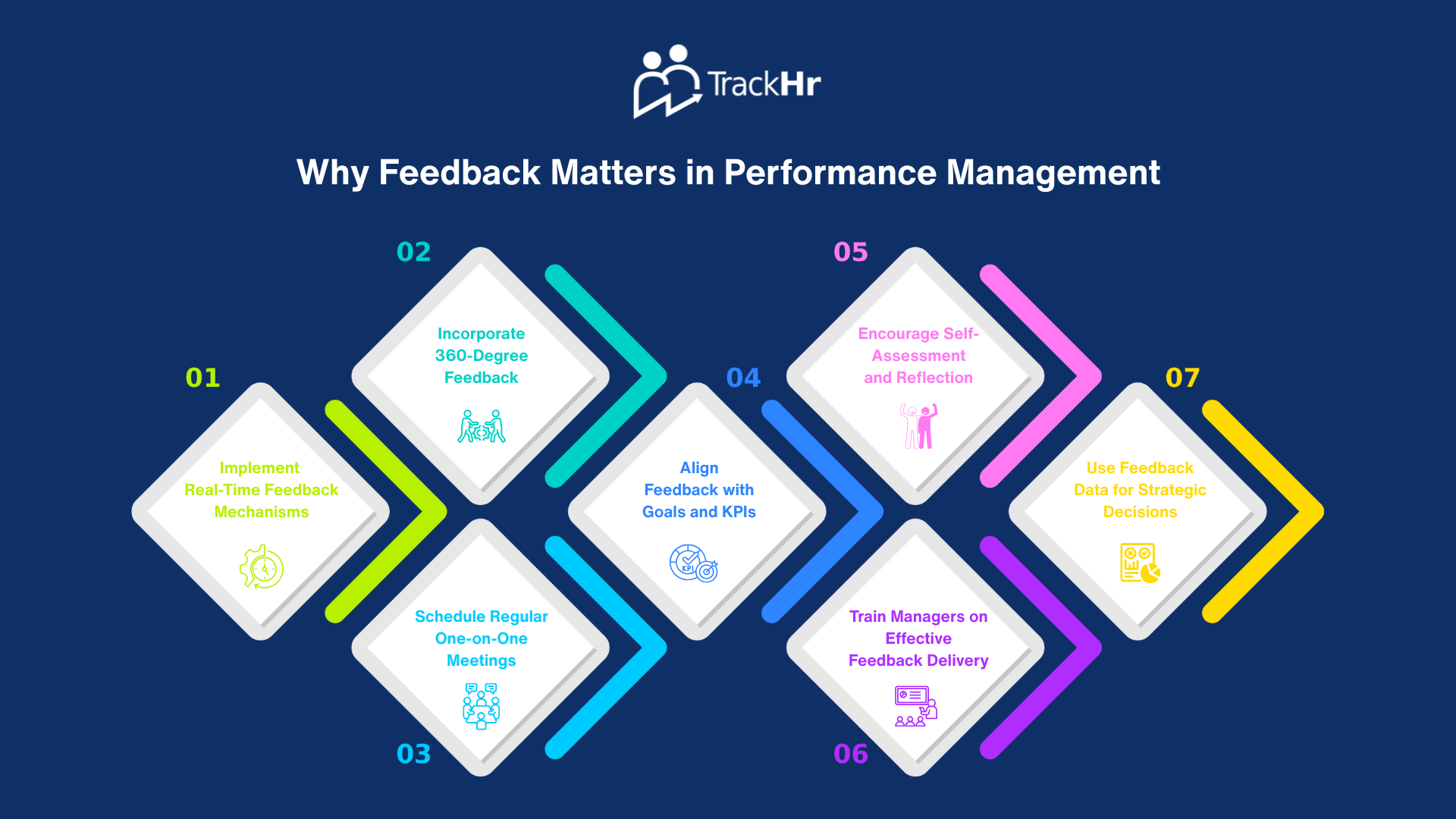
Why Feedback Matters in Performance Management
Feedback provides employees with insights into their strengths and areas for growth. When effectively integrated, it can:
- Improve employee performance
- Increase engagement and motivation
- Align individual efforts with company goals
- Strengthen communication between employees and managers
1. Implement Real-Time Feedback Mechanisms
Waiting for annual or biannual reviews can delay crucial feedback. Instead, adopt real-time feedback tools that allow managers and peers to share input as events unfold.
How to Do It:
- Use digital tools like TrackHr to send instant feedback
- Encourage micro-feedback after meetings or project milestones
2. Incorporate 360-Degree Feedback
360-degree feedback gathers input from multiple sources: managers, peers, subordinates, and even clients. This creates a comprehensive picture of performance.
Benefits:
- Reduces bias from single-source feedback
- Encourages well-rounded development
- Fosters transparency
3. Schedule Regular One-on-One Meetings
Frequent, structured one-on-one meetings between employees and managers can keep feedback flowing and performance aligned with goals.
Best Practices:
- Use a consistent agenda
- Discuss achievements, obstacles, and improvement areas
- Document key takeaways in your performance management system
4. Align Feedback with Goals and KPIs
Feedback is most impactful when linked to specific goals or key performance indicators (KPIs). This helps employees see the relevance and act accordingly.
Tip:
Use SMART goals (Specific, Measurable, Achievable, Relevant, Time-bound) as benchmarks for feedback.
5. Encourage Self-Assessment and Reflection
Empower employees to evaluate their own performance. This fosters accountability and helps them become active participants in their growth.
How to Support This:
- Include self-assessment sections in the PMS
- Prompt employees to reflect before formal reviews
6. Train Managers on Effective Feedback Delivery
Not all feedback is created equal. Train managers to provide constructive, clear, and motivating feedback.
Training Topics:
- Giving balanced feedback (positive + areas for growth)
- Active listening
- Avoiding vague or overly critical language
7. Use Feedback Data for Strategic Decisions
Analyzing trends in employee feedback can reveal broader organizational strengths and weaknesses.
Example Insights:
- Teams with regular feedback have higher engagement scores
- Frequent feedback correlates with faster goal completion rates
Conclusion
Integrating feedback into a performance management system is essential for building a high-performing, motivated workforce. From real-time tools to regular check-ins and 360-degree reviews, the key is to make feedback a continuous part of your company culture. Leveraging platforms like TrackHr ensures feedback is not just given—but recorded, measured, and acted upon.
By making feedback a strategic asset, organizations can drive improvement at every level, align teams with business goals, and achieve sustained success.
Table of Contents
Exhausted from managing performance management manually?