


Blog
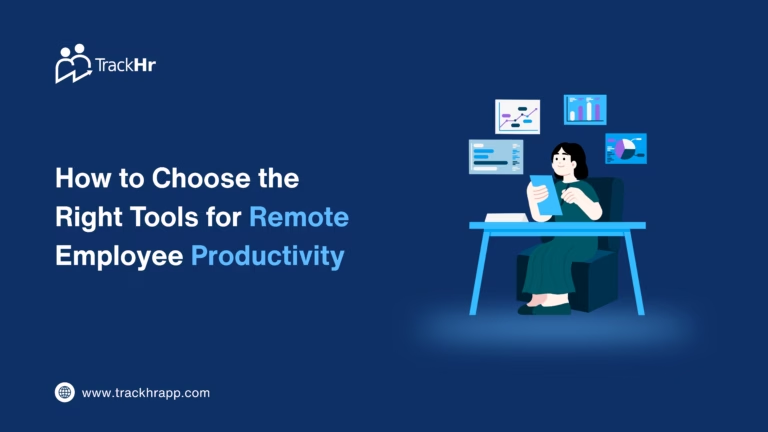
How to Choose the Right Tools for Remote Employee Productivity
- August 25, 2026
- 11:09 am
Work is no longer the same when it is done remotely. Now that your employees can do their jobs from other cities, states, or even countries, you have to ask yourself: how do you know if they are working productively without micromanaging them?
This isn’t about keeping an eye on every click or always checking in with employees. Rather, businesses must have the proper mix of communication, attendance, work tracking, performance management, and productivity solutions.
Today’s remote working trends are more focused on the results than on the activity. Clear goals, task completion, quality of work, consistency of performance, and role-specific KPIs offer a more valuable view of productivity than the amount of time spent online.
TrackHr unifies attendance, work management, performance tracking, productivity visibility, and AI-driven insights into a single platform, ideal for businesses seeking an integrated solution.
Why Remote Employee Productivity Is Difficult to Manage
When employees are working in an office environment, managers have a natural view of what’s going on in the office. That visibility goes away with remote teams.
The following questions may arise in the minds of managers:
- Do staff members work their regular hours?
- Are activities/tasks completed in a timely fashion?
- Who is doing a good job on your team?
- Are there any delays in work areas?
- Is there overloading or underutilization of employees?
- How to detect performance issues early on for managers?
- How can productivity be measured without a workflow that is too intrusive?
Frequently, the problem is not the employees, but the system in which they work. It is not a lack of a central understanding of work.
Best practice for remote teams is to have clear expectations and a source of meaningful performance data, rather than just team status or message activity.
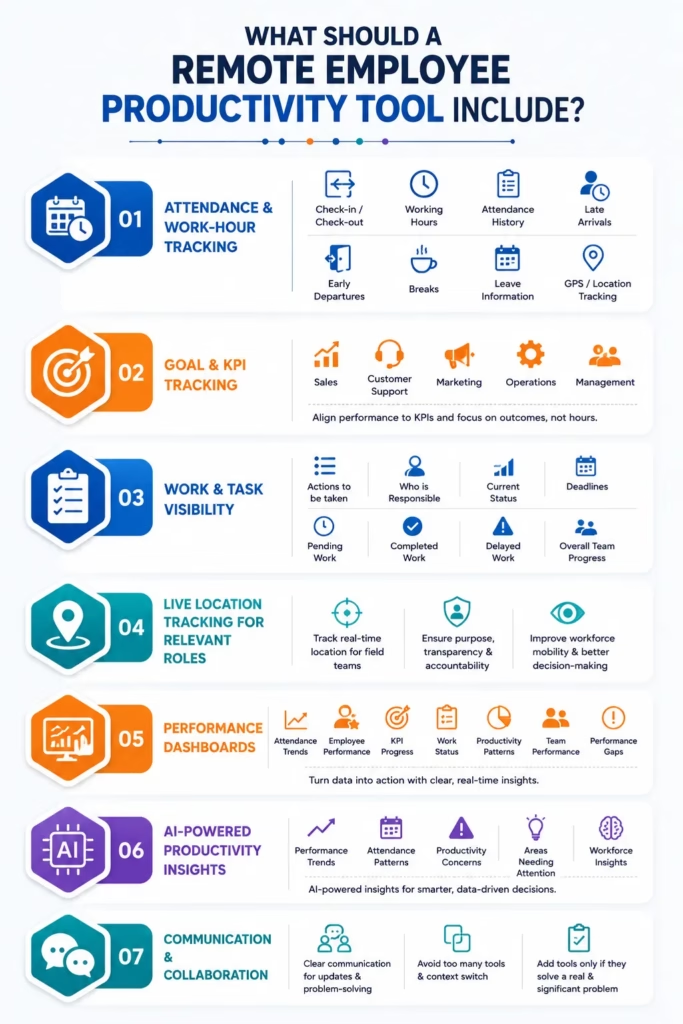
What Should a Remote Employee Productivity Tool Include?
Don’t select a productivity tool because it offers a lot of features that you don’t need. It is better to first determine the needs that your remote workers have and then choose the tools that meet those needs.
The following are the most significant features to take into account.
1. Attendance and Work-Hour Tracking
However, in the case of remote teams, attendance may not always be verified by showing up.
A good system will be easy to record:
- Check-in and check-out
- Working hours
- Attendance history
- Late arrivals
- Early departures
- Breaks
- Leave information
- Presenting student attendance using GPS or other location technology, when applicable.
Managers can get a central overview of employee attendance and working behaviours with a tool like TrackHr, without relying on manual spreadsheets.
For businesses with field workers, a hybrid workforce, sales teams, customer support teams, or distributed teams, this feature can be quite helpful.
2. Goal and KPI Tracking
Attendances can be used to determine if someone was available. It doesn’t convey whether anything was done or not.
This is why it’s important for remote teams to use KPIs to monitor performance.
For instance, there could be entirely different KPIs for each department:
- Sales: leads generated, conversions, revenue
- Customer support: Ticket resolution, response time, customer satisfaction
- Marketing: campaigns finished, leads raised, engagement
- Operations: completed, turnaround time, accuracy
- Management: team targets, project completion, business outcomes
TrackHr enables companies to align employee performance to trackable KPIs and objectives.
The key idea is to assess employees on the outcomes of their job duties, rather than simply on the hours they spend in the online workplace.
3. Work and Task Visibility
With emails, spreadsheets, chats, and different applications handling tasks, remote teams can easily get lost in the shuffle.
A work management system needs to have visibility of:
- The actions that need to be taken.
- Who is responsible
- Current status
- Deadlines
- Pending work
- Completed work
- Delayed work
- Overall team progress
Our work management solution puts managers on top of what’s going on and how well their employees are doing in one place.
This will eliminate the obligation to follow up, like, “What’s the status of this work?”
4. Live Location Tracking for Relevant Roles
Location tracking isn’t necessary for all remote employees. But it can be beneficial for organizations that have multiple work sites, salespeople, service personnel, delivery people, or workers who work in more than one location.
If location-based tools are applied in an open and responsible way, and used for properly defined and acceptable business purposes, these tools can support organisations in making better informed decisions about attendance and workforce mobility.
What matters is “purpose” and “transparency”. Employee surveillance should serve to hold employees accountable and for an operation’s purpose, not as an unnecessary observance.
5. Performance Dashboards
Managers shouldn’t need to sift through a lot of spreadsheets to know how their team is doing.
Important information that should be included in a useful dashboard includes:
- Attendance trends
- Employee performance
- KPI progress
- Work status
- Productivity patterns
- Team performance
- Performance gaps
TrackHr offers dashboards that enable managers to shift from information to data and into action.
This makes it more objective to do regular performance discussions as managers can use real trends instead of assumptions.
6. AI-Powered Productivity Insights
The workforce management of the future is no longer one that collects data.
AI can assist managers in interpreting the data.
TrackHr’s NOVA AI is designed to give instant insights into workforce information. Managers don’t have to go through a number of reports to get a clearer picture of attendance, productivity, and performance data; they can rely on AI-powered assistance to get this information much faster.
Managers can leverage workforce data to find out:
- Performance trends
- Attendance patterns
- Potential productivity concerns
- Areas requiring attention
- Workforce-related insights
This can simplify decision-making and help to be more data-driven.
7. Communication and Collaboration
Productivity tools are not a substitute for communication.
When working remotely, you require clear lines of communication for updates, problem-solving, and working together. But companies shouldn’t leave it up to staff to switch between a myriad of applications.
There is a danger of too many tools creating a context switch and notification overload. A lean technology stack – with specific purposes and no additional apps for every little need – can be more effective and efficient.
When adding another tool, ask:
“Does this really address a problem that is significant and for which current tools don’t address?”
If the answer is no, it is most likely not necessary.
How to Choose the Best Remote Employee Productivity Tool
Rather than looking at how many features a tool has, use a practical approach to judging the tool.
Step 1: Identify Your Biggest Remote-Work Challenges
Begin by stating your real issues.
Do you have problems with attendance?
Do managers have difficulty tracking KPIs?
Do staff members lack clarity on their roles?
Is the appraisal primarily opinion-based?
Is there too much time spent on preparing reports?
You should be able to address these issues with the tool you select.
Step 2: Look for an Integrated Platform
Fragmented information can be created by using multiple applications for attendance, performance, work tracking, and reporting.
An integrated platform can eliminate duplication and simplify the way managers can follow the relationship between attendance, work, and performance.
TrackHr’s connected work and performance management system is one of the main benefits that businesses can enjoy, as they can oversee significant workforce procedures.
Step 3: Check Reporting and Analytics
Don’t simply ask if the software is keeping track of data.
Inquire if it makes use of this data to create something useful.
A great platform will be able to address questions like:
What is causing the event?
Who or which teams/employees need to be addressed?
What should the manager do now?
That is where dashboards, analytics, and AI-driven insights come in.
Step 4: Consider Employee Experience
A productivity platform should make the work easier, not put pressure on it.
Employees should understand:
- What data is being gathered?
- The reasons for collecting the data.
- How it will be used
- How performance will be evaluated
Trust can be maintained while allowing managers the visibility they need through transparent monitoring and outcome-focused measurement.
Step 5: Check Scalability
You might have a small staff of people now, but as your business expands, you may need more of them.
Select a solution that will accommodate:
- More employees
- Multiple teams
- Different locations
- Different KPIs
- Hybrid work
- Field teams
- Management reporting
- Growing performance requirements
TrackHr for Remote Employee Productivity Management
TrackHr offers a wider solution for businesses seeking to do more than just keep track of attendance or tasks.
Its capabilities include:
Attendance Management: Monitor employees’ attendance and working time.
GPS-Based Attendance: For applicable teams, provide location-based attendance support.
Live Location Tracking: Field & mobile employees’ visibility enhanced.
KPI Management: Establish measurable objectives & monitor employee performance.
Work Management: Maintain work and responsibilities.
Performance Management: Track employee performance and other areas of improvement.
Dashboards & Reports: Access a single source of information about the workforce.
NOVA AI: Get AI-powered insights from workforce and performance data.
The mix enables companies to shift from the question of whether an employee is working, to one that asks them whether the work is advancing, whether the correct targets are being met, and how they can be improved.
Don't Confuse Activity With Productivity
The biggest error that companies make with remote workers is regarding digital activity as productivity.
An employee can work for hours online without accomplishing much. A different employee might be present on the ground for a long time, but get the job done quickly and quietly.
This is why it’s important to assess productivity using a mix of the following:
- Goals achieved
- Work completed
- Quality of output
- Role-specific KPIs
- Deadlines
- Attendance patterns
- Consistency
- Team contribution
Activity data can be valuable context, but shouldn’t be the only criteria for employee performance.
Frequently Asked Questions (FAQs)
Remote employee productivity refers to how effectively employees complete their assigned work, achieve goals, and meet performance expectations while working outside a traditional office.
Useful tools include attendance tracking, work management, KPI tracking, performance management, reporting, communication, and productivity analytics platforms such as TrackHR.
TrackHR helps businesses manage attendance, GPS-based tracking, work, KPIs, performance, dashboards, and AI-powered workforce insights through one platform.
Companies can measure performance using KPIs, completed work, quality, deadlines, attendance patterns, and achievement of individual and team goals.
Monitoring can provide useful visibility, but it should be transparent and focused on business outcomes. Measuring meaningful work and performance is generally more useful than simply tracking online activity.
Final Thoughts
Working remotely doesn’t have to be lackluster or unproductive.
Managers can have the information they need and the flexibility and autonomy that remote working provides with the right technology.
Look beyond attendance or activity tracking when selecting a remote worker productivity app. Search for an attendance, work management, KPI, performance, reporting, and intelligent analysis platform.
TrackHr can help build a more structured, measurable, and data-driven method for evaluating productivity in a distributed workforce for businesses looking for a single connected system.
The purpose is not to be a supervisor all the time.
The result is to provide visibility and clarity for employees and improved performance for businesses.
Exhausted from managing performance management manually?
Try TrackHr For Free!
Featured Blogs
Section Title